 MIRAGE
Overlay menu
Draggable panels, settings that open underneath each module, a search bar, a keybind on any module, and panels you can fold or hide.
Free Fabric client
A clean overlay menu that floats over your game, a HUD you can drag into place, freelook and zoom, and a launcher that sets it all up in Lunar, Dawn or the Minecraft Launcher. Free, with nothing locked.
MC 1.21.4LOADER FabricVERSION 5.6.0DOWNLOADS -

What's inside
Press your menu key and dark glass panels float over the live game. Click a module to turn it on, right-click for its settings, or just start typing to search.
Draggable panels, settings that open underneath each module, a search bar, a keybind on any module, and panels you can fold or hide.
Coordinates with Nether conversion, FPS, ping, armour durability, potion timers, direction, inventory, keystrokes, speed and more. Drag each one where you want it.
Look around your player without turning. Scroll to pull the camera out to 150 blocks. Hold a key to zoom in like a spyglass.
Fullbright, custom FOV, your own crosshair, a colour filter, custom skies with presets, and No Render for fire, pumpkin blur and the totem animation.
Timestamps, 1,000 lines of chat history, join and leave messages, and tooltips that list everything inside a shulker box.
Drop markers, follow an on-screen arrow to them, and leave a breadcrumb trail so you can find your way back.
Show Mirage Client on your Discord profile, and see what's playing on Spotify in a corner of the screen.
Auto respawn, auto eat, auto reconnect, chat macros, light overlay for mob spawning spots, and settings presets you can save and load.
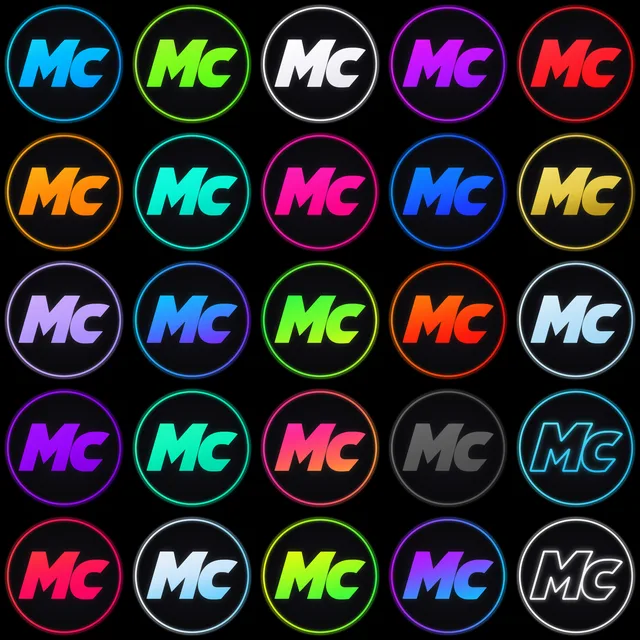
25 logo colours with or without the ring, an accent colour that follows your logo, and a splash screen every time you join a game.
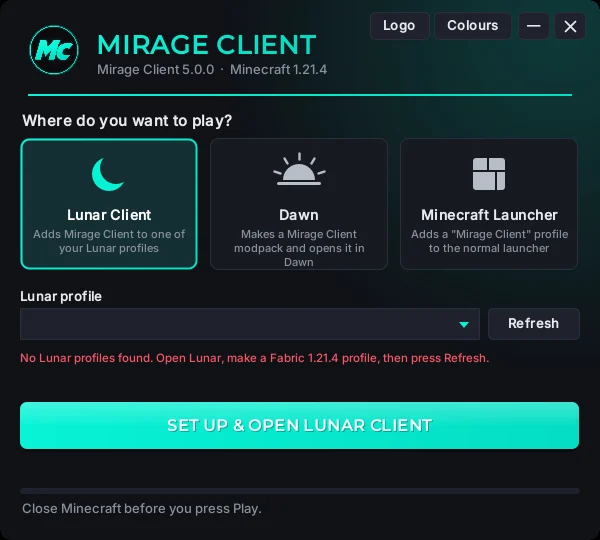
The launcher
The Mirage Client app installs itself on your desktop and puts the client where you play.
25 colours
Pick a colour in the app or in game and it's used everywhere: the menu, the splash screen, chat, your desktop shortcut and the multiplayer screen. Switch to just the letters if you don't want the ring.
Support Mirage
Mirage Client is free and always will be. Donations help pay for new updates - for everyone. Donating doesn't unlock anything in the client.
Supporters
Be the first!
Want your name here? Mention it in your donation message.
Download
Free, with every feature. You just need a free Mirage account to sign in to the app.
Many servers have rules about which mods you can use, and some ban certain features outright. Read the rules of any server before you join with Mirage Client. If a server doesn't allow something, turn it off. You're responsible for how you use the client, and we can't help with bans.
FAQ
Yes. Every feature, every update. You make a free Mirage account so you can sign in to the app. Donations are optional and don't unlock anything.
It lets you use Mirage on up to 3 PCs, move to a new PC from your account page, and keeps Mirage safe from people abusing it. We only store your email and a scrambled version of your password.
No. The app copies itself into your AppData folder, makes a desktop shortcut, and copies the mod into the launcher you pick. It downloads Fabric from Fabric's official servers, and talks to mirageclient.com to sign you in. In game the mod only checks with mirageclient.com that you're signed in, about once a day.
Windows shows "Windows protected your PC" for any app that isn't code-signed, which costs money every year. Click More info, then Run anyway. If you want to check for yourself, upload the zip to virustotal.com.
Minecraft Java Edition 1.21.4 with Fabric. Bedrock Edition isn't supported.
Yes. In Lunar, make a Fabric 1.21.4 profile, then pick Lunar Client in the Mirage app and choose that profile. If Lunar's own Freelook mod is on, give it a different key from Mirage's freelook.
Download the newest version and open it. It updates the app and every launcher you've installed Mirage Client in. Your settings are kept.
That depends on the server. Some servers allow client mods and some don't, and many ban specific kinds of features. Check each server's rules and only use what they allow.
Need help? Head to Support.